You know what's left. Now you'll know why.
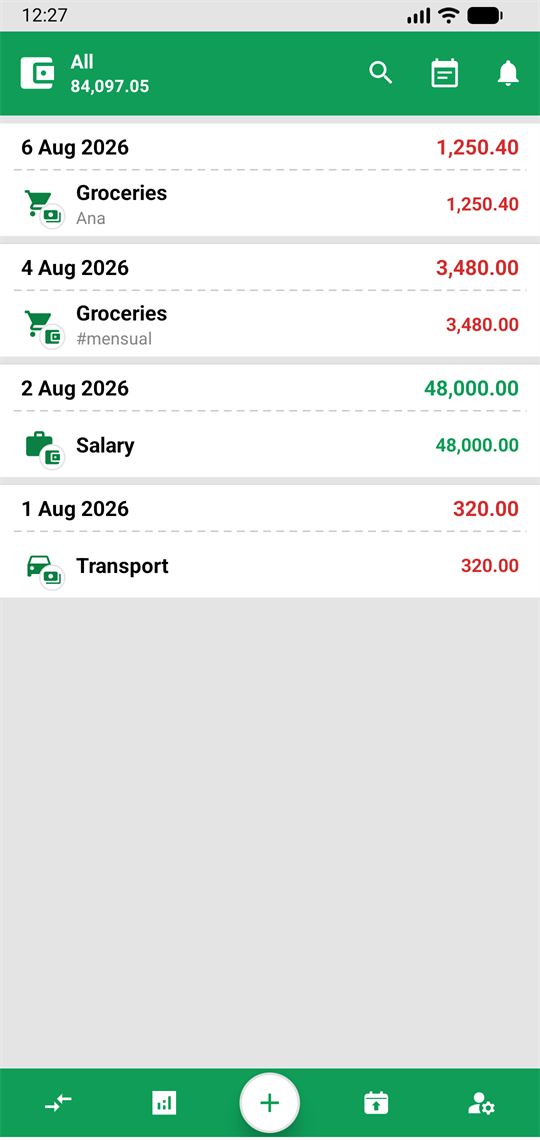
PyFinanzas is the personal finance app that records your income and expenses, splits them across your wallets and gives you the whole picture: what you have, where it went, and what you'll have next month.
- No account needed
- Works offline
- No ads
- Android 7.0 and up
Three decisions define it
It is not a banking app and it is not accounting software. It is a notebook that does the maths.
No account, no connection
Install it and use it. Your data lives on your phone, not on a server.
All the basics, with no limits
Wallets, categories, reports, planning and more features to control your finances.
Real multi-currency
With the rate you were given, stored by date. Not the one the bank publishes today.
What you can do with it
All of this is free. No finance feature sits behind a paywall.
- Income, expenses and transfers between your wallets, with category, contact, tags and notes.
- Unlimited wallets: cash, bank, cards, savings. Each with its own currency and balance.
- Multi-currency with rate history: the rate you were given, on the day you were given it.
- Budgets per category and savings goals, with their progress in view.
- Recurring transactions and templates for your salary, your rent and whatever repeats.
- Projection: what you will have on the day you ask for, counting what is already planned.
- Debts with their payments: what you owe or are owed, what is paid and what is left.
- Reports by period, category and wallet, and budget versus actual.
- Import and export CSV, reconciling so nothing gets recorded twice.
- Full backup on your phone or in your Google Drive, and restore in one tap.
- Dark mode, PIN lock, notifications and guided tutorials inside the app.
AI is the accelerator, not the engine
The whole app works without touching it. It is there where typing by hand costs the most.
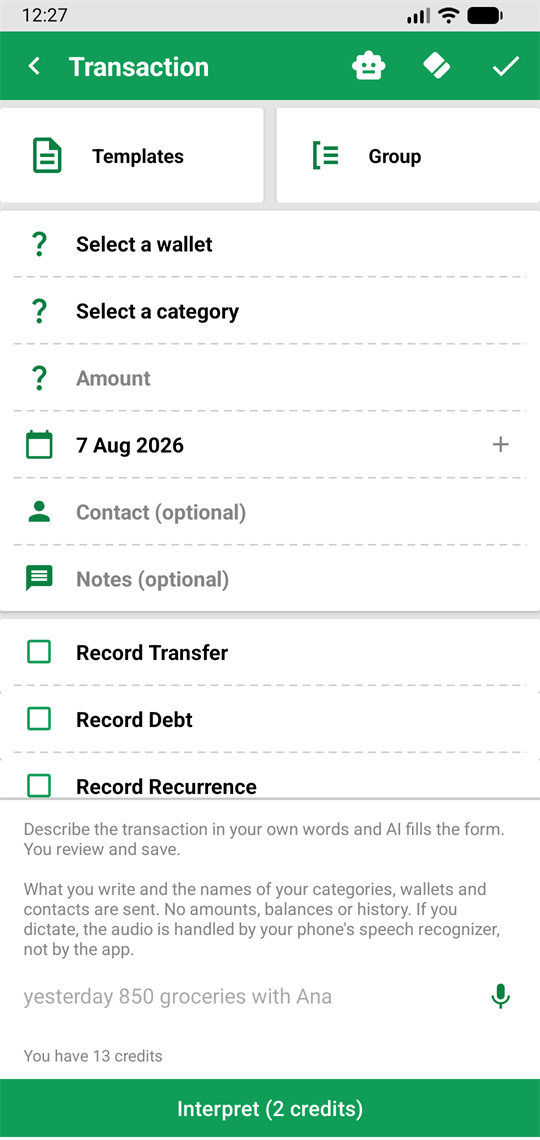
- Write it the way you'd say it. "yesterday 850 groceries with Ana" becomes a transaction ready for you to check.
- Read any statement. The PDF your bank sends, a file in an odd format, or a photo of the statement.
- Match your bank's descriptions to your categories, and it remembers them for next time.
- Analyse your history and point out patterns that are hard to spot.
With one rule that never bends: you always review and confirm. The AI suggests; saving is your call. And before every use, the app tells you exactly what is sent and what it costs.
Privacy, and not as a footnote
It is the reason the app is built the way it is.
No account required
Install it and use it. An account is only needed for the optional purchases.
No access to your bank
The app never connects to your bank account and never asks for credentials. Data comes in through a file you choose to give it.
No ads, no data selling
Ever. And the backup goes to your Google Drive, into a private app folder.
We don't ask for your bank. We don't ask for your account. We just help you with your money.
Why the app may ask for your Google account
Both are optional: the app works in full without signing in.
To identify you
If you choose to create an account, your email address and profile name are used to know the session is yours. It is needed for the paid features and for the credit balance of the AI features.
To store your backup
The app requests the "see, create and delete its own configuration data in your Google Drive" permission. That permission grants access only to a private app folder inside YOUR Drive, not to the rest of your files. The backup is stored in your account, and the developer has no access to it.
The app does not sell or share your data, and does not use it for advertising. The full detail is in the privacy policy.
What it costs
The app is free. All the finance tracking -transactions, wallets, currencies, budgets, goals, debts, reports, import, export and backup- is available without paying anything.
Inside there are optional purchases, only for the AI features: credit packs, a subscription for people who use them daily, a one-off payment and voluntary donations for anyone who wants the project to keep going. The price of each feature is shown before you use it, in credits, with no small print.